
The Inventory page is your sales sheet: every Stack of hay, how much it holds, how much is already promised on Sales, and what's still free to sell. Check it before you promise hay, so you never sell the same bales twice.
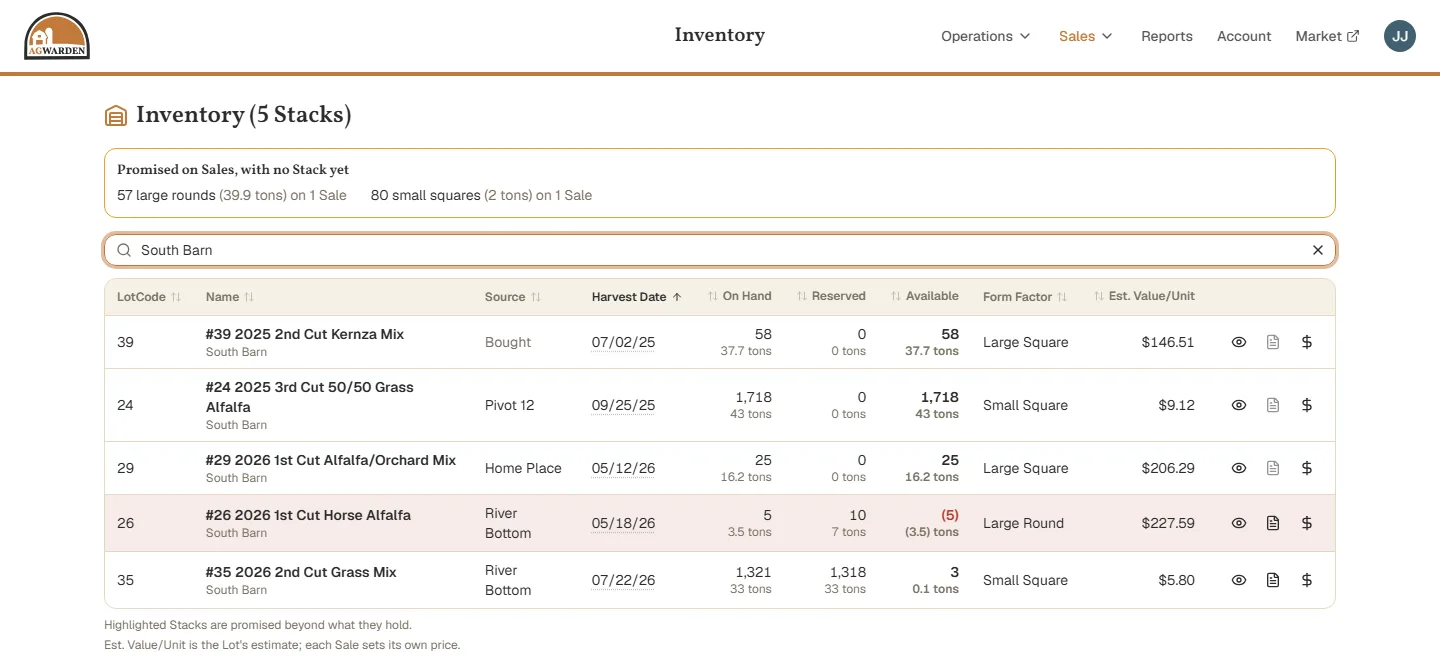
Open it from Sales → Inventory. It lists every Stack with hay on hand or promised, oldest harvest first.
What the numbers mean
- On Hand: the bales in that Stack now, with tons under them.
- Reserved: bales promised on Planned and Scheduled Loads that haven't loaded yet.
- Available: on hand minus reserved. This is what's free to sell.
Tons use each Lot's own weight per bale (see Creating Lots). Form Factor is the kind of bale the numbers count, and Est. Value/Unit is the Lot's estimate; each Sale sets its own price.
A Stack that's promised more than it holds is highlighted, and its Available shows how many bales short it is, in red. Move hay into it, or change a Load to come from another Stack.
Hay promised with no Stack yet
A Sale can promise hay before you know which Stack it comes from, even before harvest. That hay is totalled in the box above the table, by kind of bale, so you can see how much more you've committed than the table shows.
Who's holding a Stack's hay
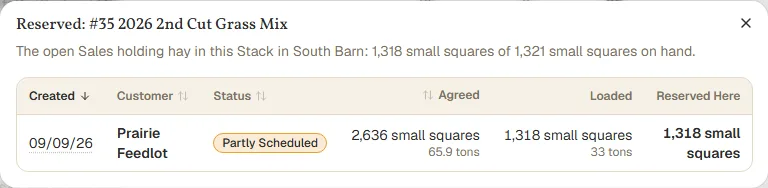
Click the document on a Stack's row to see the open Sales holding its hay, and how much each one holds there. It's greyed out when nothing is reserved. Click a Sale to open it.
The eye opens the Stack's Lot, and the dollar sign starts a Sale from that Stack, with its kind of bale filled in (see Creating a Sale).
Finding a Stack
The search box filters as you type, by the Lot's name or code, Area, Field, kind of bale, or makeup. Type a shed's name to see just what's in it. Click a column heading to sort by it.
Hay you list on the Market only shows what's still available, so buyers never see hay that's already promised.