
A Lot is one batch of hay: one cutting, from one Field, made into one kind of bale. It has a number, like #24, and a name AgWarden builds from it, like "#24 2025 3rd Cut 50/50 Grass Alfalfa". A Lot's hay can sit in more than one place; each place is a Stack. Everything after harvest (moving, selling, adjusting) is recorded against the Lot, so it always knows how much is left and where.
Add a Lot
Open Operations → Lots and click Add Lot, or click Add Lot on an Area's page to start with that Area filled in. One form records the Lot and its harvest together.
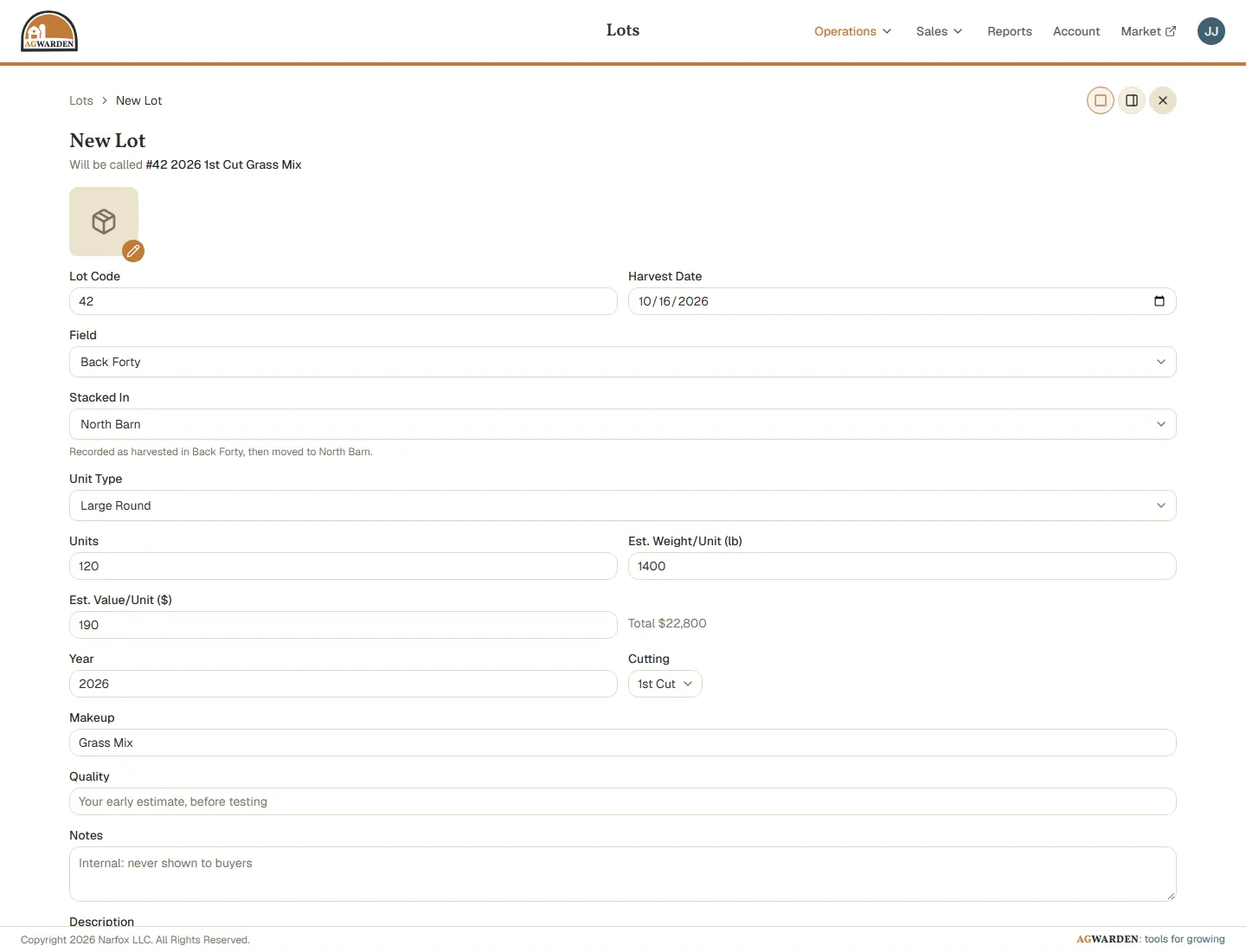
- Lot Code: the Lot's number. The next number is filled in for you.
- Harvest Date: when it was cut or baled.
- Field: where it was cut.
- Stacked In: where it is now. If that's not the Field, AgWarden records it as harvested in the Field and then moved.
- Unit Type: the kind of bale.
- Units: how many bales.
- Est. Weight/Unit: what one bale weighs (see below).
- Est. Value/Unit: what you think one bale is worth. AgWarden shows the Lot's total.
- Year, Cutting, and Makeup (Alfalfa, Grass Mix, and so on) name the Lot. The line under New Lot shows the name as you go.
- Quality: your early estimate, before testing.
- Notes: for you and your crew. Never shown to buyers.
- Description: shown on the Market. It's written for you from the Lot until you change it.
Click Save Lot.
The Lot's weight
When you pick a Unit Type, Est. Weight/Unit fills in with that type's default weight from your Account. Change it to what this harvest's bales really weigh: a wet year's rounds may be heavier than usual.
That weight belongs to the Lot. AgWarden uses it for every tons figure for this Lot: what it holds, its Loads, and your reports. Changing the Unit Type's default later doesn't change it. On a Sale, once a Load names one of this Lot's Stacks, the Sale converts between bales and tons at this Lot's weight too (see Creating a Sale).
A Lot's page
Click a Lot to open it. At the top are its name, description, and what it's worth. Below that:
- Units: what's left out of what was harvested.
- Sold: dollars and bales sold so far, and the average price.
- Est. Weight/Unit, Est. Tonnage, and Est. Value/Ton: from the Lot's weight.
- Stacks: where its hay is, with Sell and Move on each. Move / Split moves some or all of a Stack to one or more Areas.
- Transactions: everything that's happened to the Lot, oldest first. Add Transaction records a change by hand: a quick sale, hay lost or fed, or an adjustment.
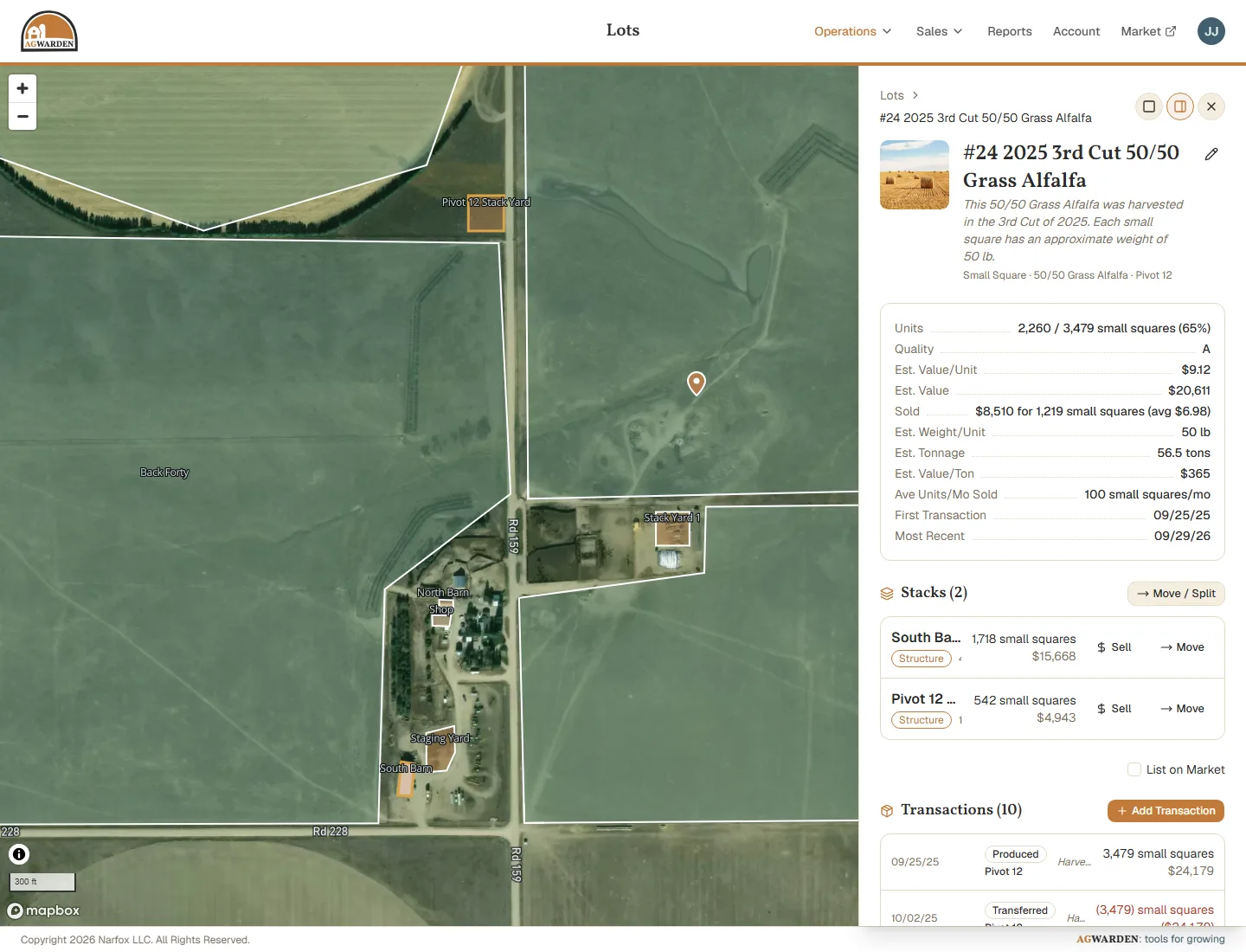
To change any of the Lot's details, click the pencil at the top. Check List on Market to show the Lot on your Market storefront.
Next
Add the people you sell to: Creating Customers.