Your account is your operation in AgWarden: your login, your operation's photo and description, where your map opens, the kinds of bales you make, and the haulers you use. Set these up once, before your first Area or Lot, and everything after fills in from them.
Log in for the first time
There's no sign-up page. When your operation is set up, you get an email with a login link. Click it within 15 minutes and you're in. If it has expired, go to the login page, type your email, and click Email me a login link for a new one.
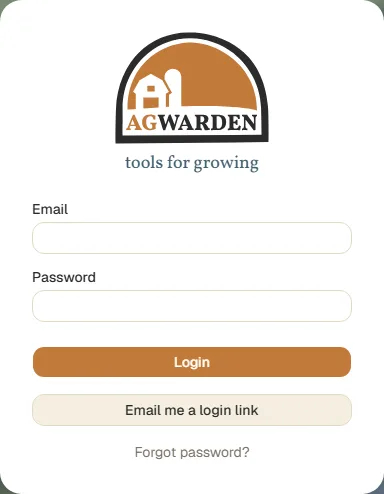
To log in with a password instead, set one: on the login page, type your email and click Forgot password?. You'll get an email with a link to Set a new password. After that, log in with your email and password, or keep using login links. Both work.
To add someone else from your operation (a salesperson, say), email support@agwarden.com with their name and email. They'll get their own login link.
Your operation
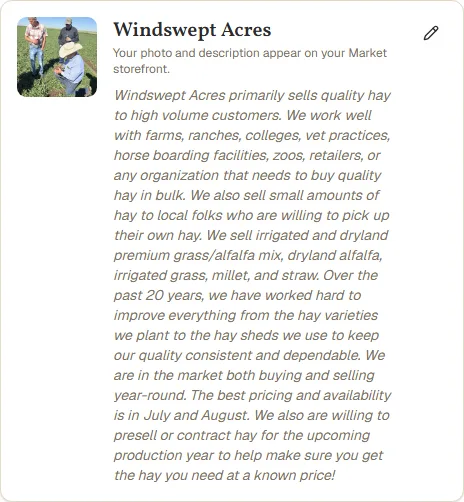
Open Account from the menu at the top. Under your login is your operation: its photo and description. Click the pencil to change them. They show on your Market storefront if you list hay there.
Home Address
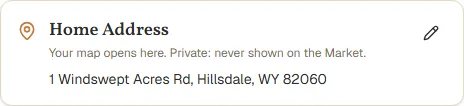
Your Home Address is where your map opens. It's private: it's never shown on the Market. Click the pencil, enter the street, city, state, and ZIP, and save.
Unit Types
Unit Types are the kinds of bale or bag your Lots come in. Every operation starts with four: Small Square (50 lb), Large Square (1,300 lb), Large Round (1,400 lb), and Large 3x4 (1,200 lb). Each has a default weight per unit.
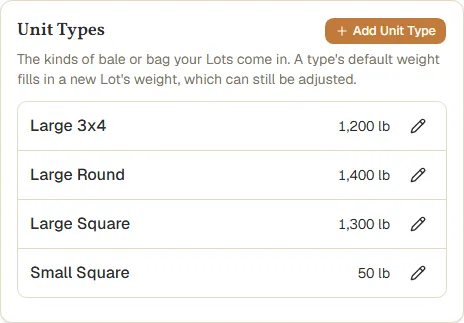
- To add one, click Add Unit Type, give it a name, and enter its default weight in pounds.
- To change one, click its pencil. A new name shows on every Lot of that type.
- A type you no longer use can be deactivated. It stays on the Lots that have it, but can't be picked for new ones.
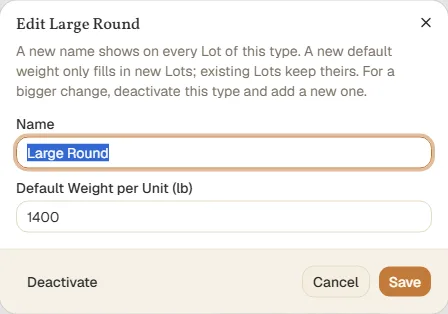
What the default weight does. It fills in the weight of each new Lot of that type, which you can then adjust to what that harvest really weighs (see Creating Lots). Changing a default later never changes the Lots you already have. AgWarden also uses the default on a Sale that doesn't have a Stack yet, to convert between bales and tons (see Creating a Sale).
Freight Options
Freight Options are the haulers your Loads use, each with what it costs per mile. Every operation starts with Customer pickup, at $0 a mile, for buyers who haul their own.
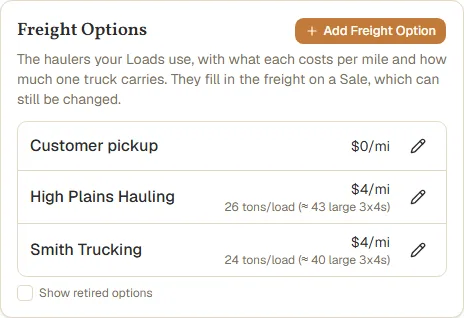
Click Add Freight Option to add a hauler:
- Cost per Mile: a Load's freight starts at its miles times this. You can still change it on each Load.
- Carries per Load (optional): how much one truck holds, in tons or in bales of a Unit Type. AgWarden shows what that comes to in each kind of bale.
- Note: a phone number, how to book, anything else.
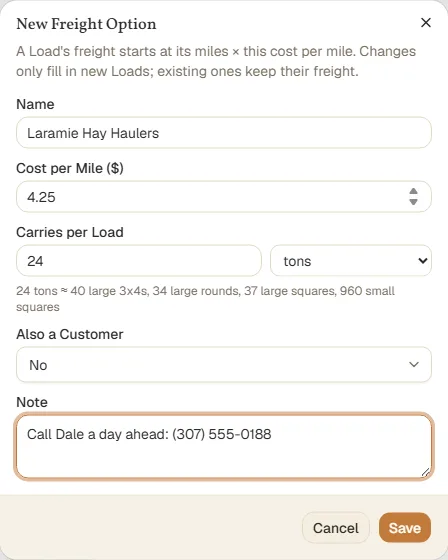
Changing a cost only fills in new Loads; Loads you've already planned keep their freight. A hauler you've stopped using can be retired from its edit dialog. Check Show retired options to see it again.
Your data
Export All Data downloads everything your operation has stored in one zip: spreadsheet-ready CSV files plus one complete file with all of it. Your data is always yours.
Next
Add the places you grow and store hay: Creating Areas.